Product Capabilities

Thoughtfully designed features.

BlindBox pairs a full-featured mailbox with innovative tools that make email easier to navigate, understand, and manage. Every feature is built around clear feedback, reliable control, and flexible ways to work.

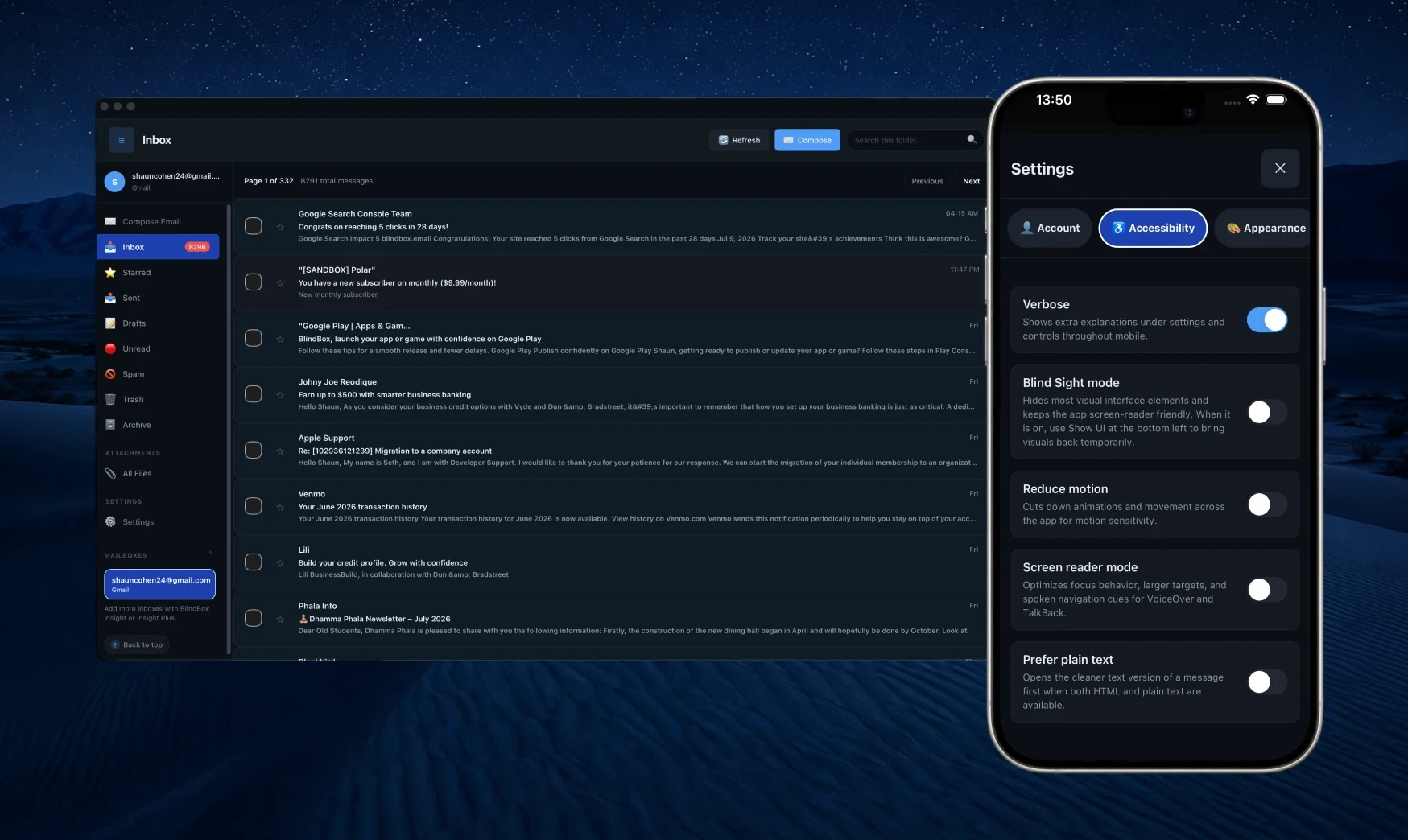
BlindBox mail app showing the unified inbox, folder navigation, and connected accounts.

At a glance

Every capability in one organized view.

Scan the full feature list before diving into categories, workflows, and detailed sections below.

  • 54+product capabilities
  • 8feature areas
  • 4platforms
  • 3plan tiers

All Inboxes

  • Unified inbox or per-account browsing
  • Mailbox reorder & default sender
  • Gmail categories (Primary, Updates, Social & Promotions)
  • Filters for account, folder, read state & attachments
  • One-click recovery when a mailbox needs to resync
  • Custom folders alongside Inbox, Archive, Sent & Drafts
Search & AI Chat

  • Search across every connected mailbox
  • Semantic search by meaning
  • Local Mail Sync for fast and partial word search
  • Offline access to all your synced email
  • Local email AI answers questions based on your mail
  • Search for files and attachments only in the Files tab

Screen Reader Design

  • Screen-reader landmarks & smart focus
  • Layout guide for step-by-step navigation
  • Read aloud & auto-read
  • Sound & vibration feedback
  • End-of-list cues and back to top buttons
  • Blind Sight mode for screen privacy
  • Next email buttons for quick navigation

Compose & Email

  • Plain-text-first composer with formatting shortcuts
  • Instant audio message recording & attachments
  • Private on-device Whisper dictation
  • Speech cleanup for punctuation, phrasing & filler words
  • Voice commands for message and compose controls
  • Access Recipient suggestions
  • Choose a clean plain-text or HTML view for each email

Files & Insight

  • One files list for all attachments across all mail
  • Image descriptions & PDF summaries
  • Full transcriptions for important files
  • Jump from a file back to its source message
  • Malware scanning for all attachments before opening

Appearance

  • Light, dark & warm paper themes
  • High-contrast presets
  • Font scaling up to 200%
  • Larger controls & strong borders mode
  • Reduced motion & transparency
  • Custom color editor
  • Extra highlight for unread messages

Accessibility

  • Streamlined mode for minimal UI
  • Action mode for quick email parsing
  • Verbose mode for extra context
  • Read aloud & auto-read
  • Global language support
  • Sound, vibration & cues
  • Customizable keyboard shortcuts
  • Easy access items in the top menu bar

Account & Security

  • BlindBox account with cross-device settings sync
  • Works with almost every email provider
  • Multiple mailbox connections
  • Google, Microsoft & Apple calendar connections
  • Add invitations from inside the message
  • Push notifications for new messages
  • CASA verified security
  • Organization seat pools

Who it fits

Built for real mail workloads—not demo inboxes.

Whether you manage one account or several, work at a desk or on a phone, or buy seats for a team, BlindBox scales to the way you actually use email.

One person, several inboxes

Freelancer side projects, personal connections and work mail live in one app. Insight and Insight Plus support multiple connected accounts with a unified view when you want it.

Deep work at a desk

Optimized desktop layout, keyboard navigation, and clear landmarks keep high-volume mail manageable without constant context switching.

Accessible wherever you are

The mobile app is a full mail client. Read, reply, check the Files tab, and manage settings. You have full mailbox control in your pocket.

Teams and organizations

Schools, agencies, and disability services offices can buy a seat pool, invite members, and manage billing from the organization portal.

Attachment-heavy workflows

Invoices, scans, and photo attachments land in the Files tab. Insight summarizes PDFs and describes images so important files can be understood.

Calendar-heavy schedules

Meeting invites arrive by email, get reviewed in structured fields, and land in Google, Microsoft, or Apple calendar—without switching apps.

Screen readers

The most important feature: it simply works

Other email apps break with screen readers—and stop getting fixed. BlindBox is built and maintained so mail stays usable: orientation you can recover, feedback you can trust, and a layout that does not fight your assistive technology.

  • Landmarks and headings you can reach without hunting.
  • Feedback cue sounds—and vibrations on mobile—confirm sends, moves, and refreshes.
  • Navigation buttons placed for easy reach in everyday triage.
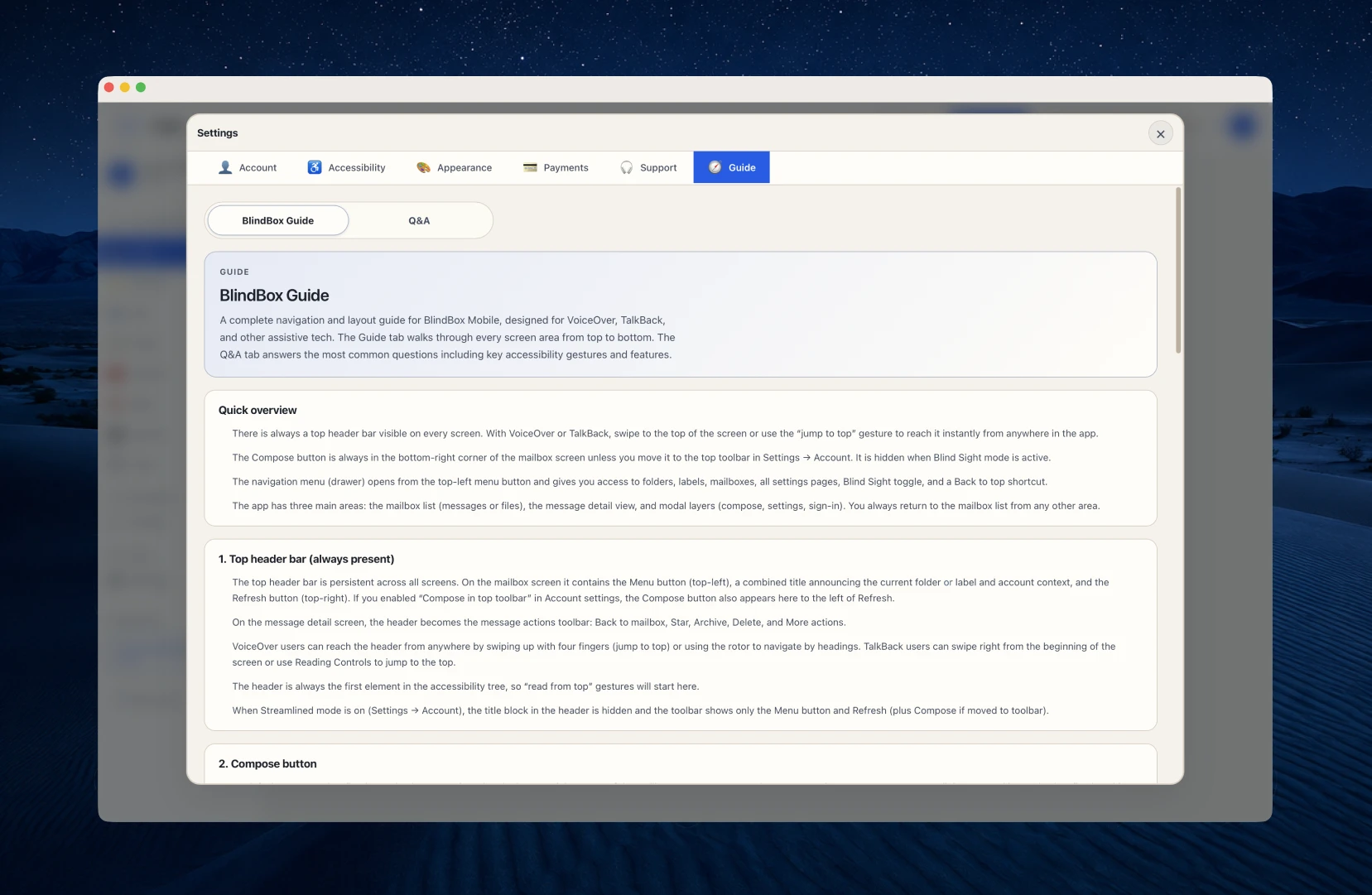
  • Built-in Navigation Guide to help you stay oriented.
  • Streamlined mode hides everything except Inbox, Compose, and Refresh when you want screen-reader simplicity first.

Why it matters

"Mail should work with your screen reader—not fight it."

BlindBox inbox with landmarks, easy navigation, and a layout built for screen reader users.

Compose & voice

Record audio messages in the composer—or dictate text that cleans itself up

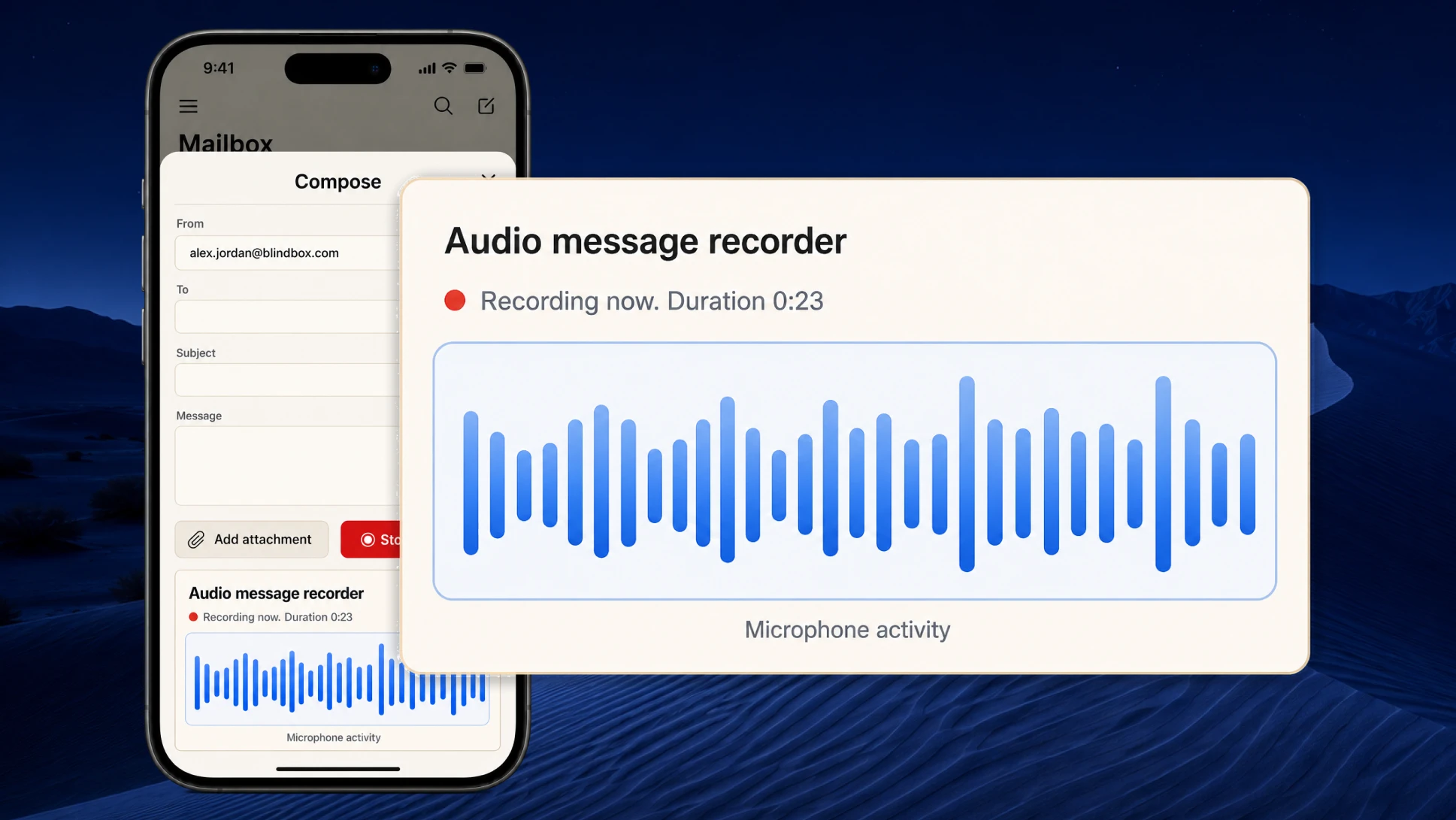
Attach a voice clip without leaving BlindBox: record in the composer, preview it, and send—no second app to export or upload from. For written replies, private on-device dictation listens to how you actually speak and smartly cleans up words, punctuation, and filler while keeping your meaning intact.

  • Audio messages: quick record, preview, and attach right in the composer.
  • Send voice without exporting from another program.
  • Private on-device dictation with smart speech cleanup.
  • Polishes phrasing and punctuation into email-ready text.
  • Reply, reply-all, forward, and plain-text-first formatting when you need it.

Why it matters

"Speak when it is faster. Send the audio when that is clearer than text."

BlindBox composer with quick audio message recording and on-device dictation with speech cleanup.

Files & Insight

A single list for every attachment — and AI that explains what is inside

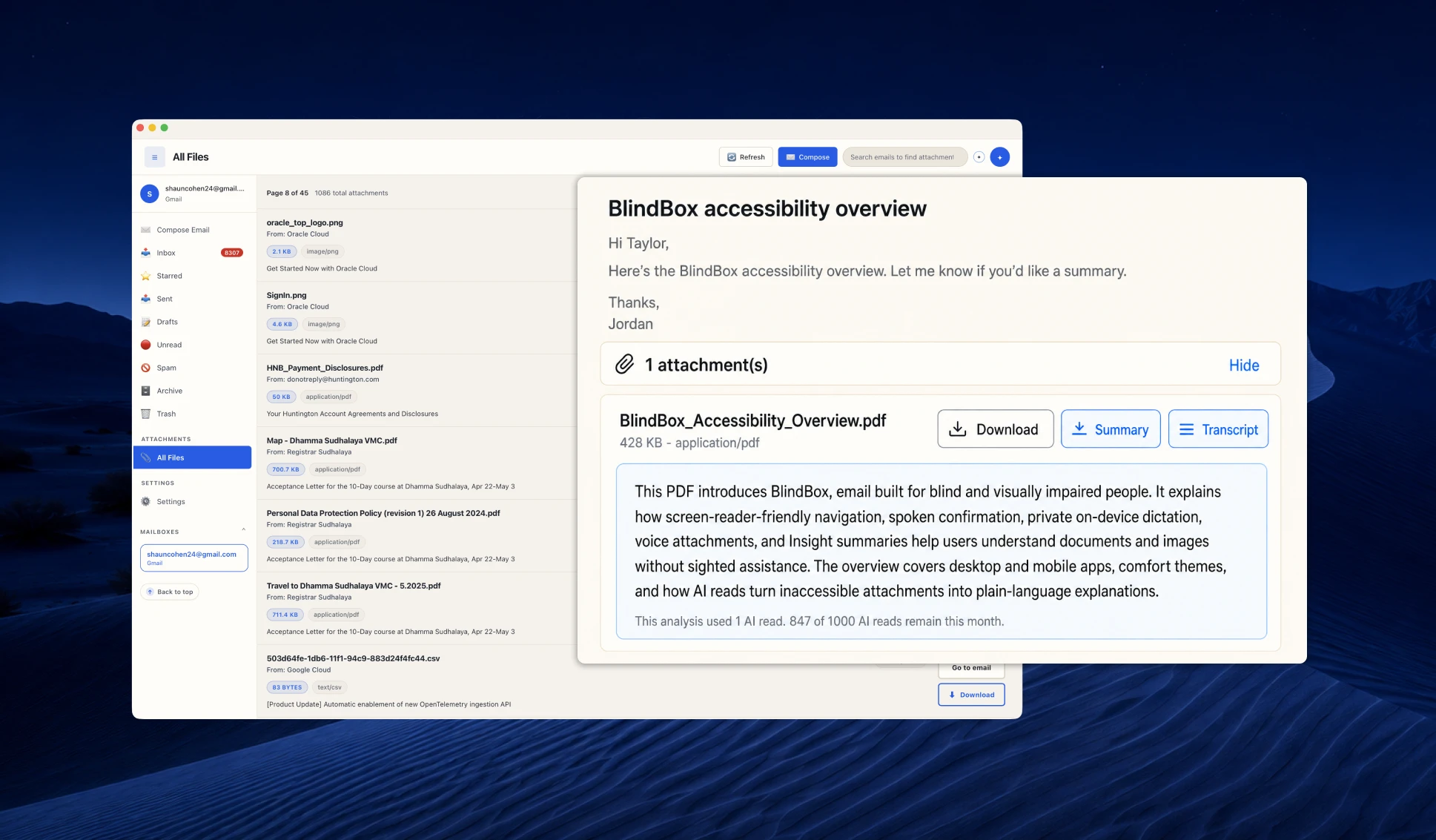
The Files tab gathers every attachment from your connected mail into one scannable list—no clicking through long threads to find a PDF or photo. When you need more than the filename, Insight summarizes documents, describes images, and transcribes scans.

  • Files tab: every attachment across connected mail in one place.
  • Open, download, or jump back to the message a file came from.
  • Insight summarizes or transcribes long PDFs in seconds.
  • Clear descriptions of photos and visual content.
  • When text is buried in an image, Insight transcribes it for you.

Why it matters

"Find the file first. Understand what is inside before you open it."

BlindBox Files tab listing attachments across mail, with Insight summarizing a PDF.

Search & Email AI

Ask Email AI and gets answers based on your mail

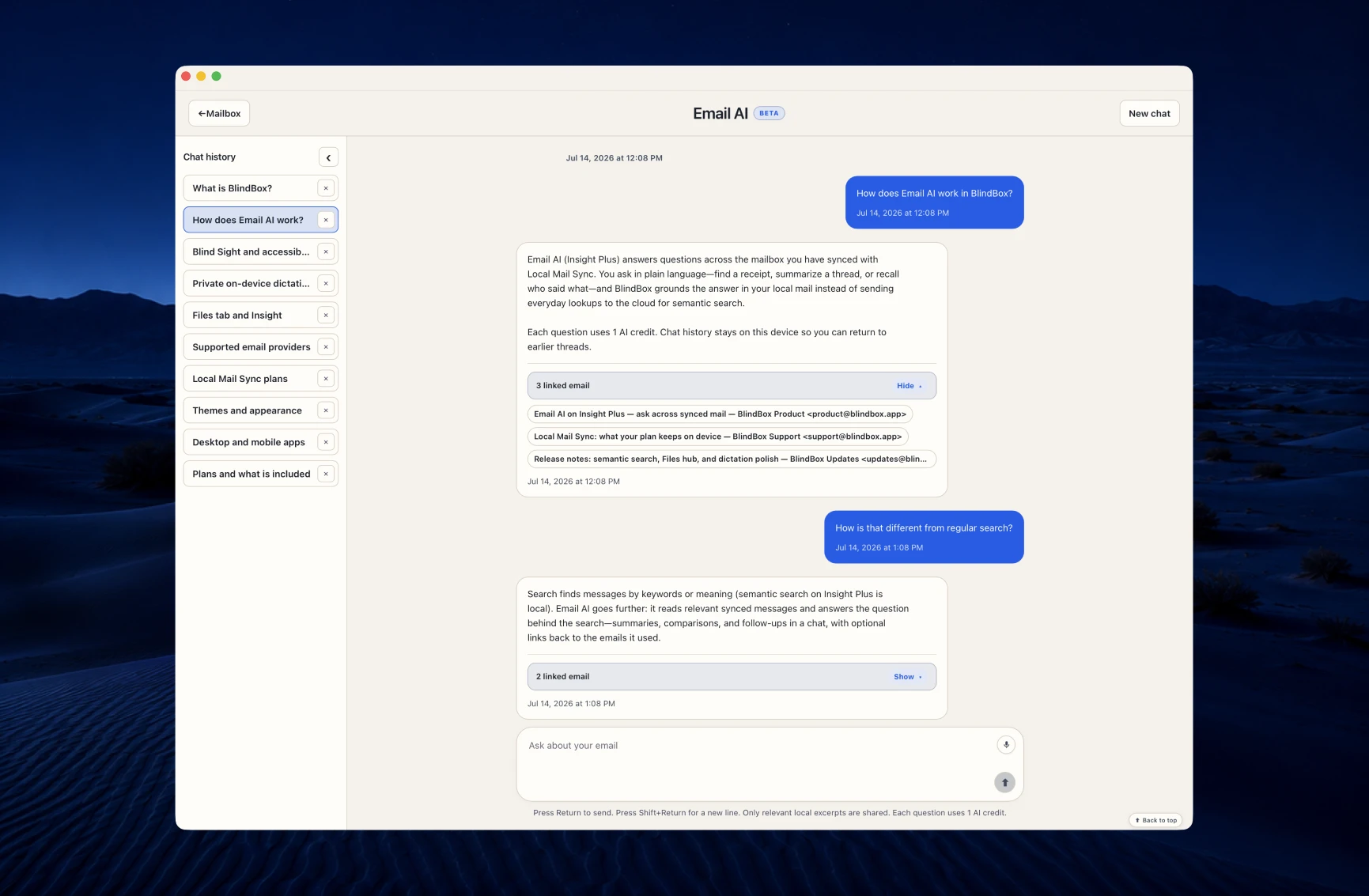
Email AI answers questions across your synced mailbox. Local Mail Sync keeps searchable mail on your device, and semantic search finds messages by meaning—without sending everyday lookups to the cloud.

  • Email AI answers questions based on your mail and links you to the sources.
  • Local Mail Sync keeps searchable mail on your device for offline access.
  • Semantic search by meaning — search the gist not the exact word.

Why it matters

"When search finds the thread, Email AI can answer the question behind it."

BlindBox inbox with local search and Email AI across synced mail from connected accounts.
  • Orientation

    Navigation Guide

    A layout map when trial-and-error is not good enough.

    The Guide tab walks through regions, landmarks, controls, and screen-reader flows in plain language. It is the first place to look when you need help.

  • Layout

    Streamline and action modes

    Hide what you do not use — automate the actions you do most.

    Streamlined mode drops the extra buttons for the simplest inbox. Action mode takes you straight to the new messages.

  • Reading

    Read aloud for low vision

    Hear mail with your device’s voice —not a screen reader.

    BlindBox speaks with your system text-to-speech — useful when your eyes need a break, or you simply want to listen.

  • Gmail

    Inbox categories that stay organized

    Use the familiar Gmail inbox categories.

    Gmail accounts can separate Inbox into Primary, Updates, Social, and Promotions, with clear category tabs. Move directly to the messages that matter without losing the context of your inbox.

  • Navigation

    Swipe between messages

    Keep reading emails without returning to the inbox.

    On mobile, swipe right on an open message for the next email or left for the previous one. You can click the next or previous buttons too. It is the quickest way to scan all your messages without going in and out.

  • Voice control

    Voice action commands

    Control mail by speaking the next action.

    Use the microphone for commands such as “read aloud,” “reply,” “archive,” “delete,” “next message,” and “send email.”

  • Language

    18 interface languages

    Think in your language—not someone else’s UI.

    Full translation including Arabic and Hebrew with RTL layout. Your choice saves to your account and syncs across desktop and mobile.

  • Verbosity

    Verbose mode

    Extra context while learning; quiet once you are familiar.

    Toggle extra explanations for new users. Helpful on day one, invisible once muscle memory kicks in.

  • Reading

    Plain text vs HTML

    Cleaner bodies for screen readers—formatting when you ask.

    Prefer plain text when HTML is noisy. Default to plain-text compose; rich formatting stays secondary until you need it.

Security & privacy

Verified outside our walls.

BlindBox is local-first by design—and independently assessed. Trust should not rest on marketing claims alone.

Encrypted credential vault

OAuth tokens and session secrets are encrypted at rest using secure, platform-provided credential storage.

Direct mailbox connections

BlindBox connects locally to your email provider—reading and sending emails do not pass through BlindBox servers.

Attachment malware checks

Attachments are checked before opening or optional AI analysis. Potential threats are clearly flagged, and risky uploads are blocked.

OAuth—not mailbox passwords

Connect Gmail, Outlook, and other supported providers through OAuth, so BlindBox does not store your mailbox password.

Short-lived, revocable sessions

Account and mailbox sessions expire on a schedule and can be revoked, limiting the lifetime of an exposed session.

Signed desktop updates

The desktop release process requires a signing key and refuses to publish an unsigned updater artifact.

Mail providers

Connect the accounts you already have.

BlindBox works with major providers through OAuth and with any IMAP server through manual setup. Bring personal, work, and specialty mail into one app.

  • Gmail
  • Outlook
  • Yahoo
  • iCloud
  • Proton Mail
  • Custom Mail Servers

OAuth where supported

Gmail and Outlook use the provider flows you already know—no retyping passwords inside BlindBox when OAuth is available.

IMAP for everything else

Custom domains, niche hosts, and Proton Mail bridge setups connect through IMAP and SMTP with the server details your provider gives you.

Multiple accounts, one app

Connect more than one mailbox on Insight and Insight Plus. Browse a unified inbox or switch accounts without signing out.

Mailbox management

Reorder connected accounts in the sidebar, set a default send-from address, and choose unified or per-account browsing at any time.

A good fit when

You want a capable mail app—not a patched viewer.

BlindBox combines multi-provider mail, attachment tools, calendar connections, and full desktop and mobile apps in one product. Assistive technology design is core to the experience—and documented separately.

AreaTypical email appsBlindBox
Multi-provider mailMany people still switch between separate provider apps, browser tabs, or accounts to manage personal and work email.BlindBox supports multiple mailboxes. All Inboxes can be unified into a single view or kept separate.
Search & organizationKeyword search within one account at a time; attachments stay buried inside individual threads.Cross-mailbox search, a Files tab for every attachment, and local semantic search.
Compose & dictationMost clients are typing-first; built-in dictation usually sends your speech to Apple or Google cloud services.Private on-device Whisper dictation with speech cleanup, plus in-composer audio message recording.
Attachment handlingOpen each thread to find files; AI summaries and image descriptions are rare or live in separate tools.Files tab across connected mail; PDF summaries or transcriptions and image descriptions are built-in.
In-app Navigation GuideHelp is often a separate support site, leaving people to guess where controls and workflows live in the app.A built-in Guide explains regions, landmarks, controls, and screen-reader flows in plain language, right where you work.
Reading comfortMany mail clients stop at a light/dark toggle, with little control over typography, contrast, or motion.Choose light, dark, warm-paper, and high-contrast themes; scale text to 200%, enlarge controls, reduce motion, and customize colors.
Accessibility designScreen reader support is often retrofitted; unlabeled controls and broken components are still common.Built for VoiceOver, TalkBack, NVDA, and JAWS, and screen reader navigation is optimized for the best user experience.

Get started

Try it with your own inbox

Connect the accounts you already use and see how the full mail workflow feels with your own messages.